PDF إلى خط أنابيب البودكاست
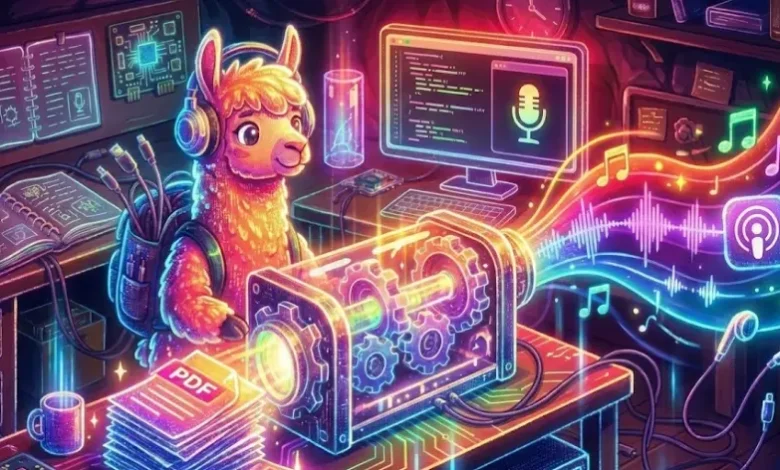
يعد NotebookLM ظاهرة إنترنت جديدة نسبيًا، وقد ميزت Google نفسها فيها، وذلك بفضل وضع نظرة عامة على الصوت – وهي آلية تعمل على تحويل النص في الورقة إلى بودكاست لشخصين. كل هذا بنقرة واحدة. ولكن ماذا يجب عليك فعله عندما ترغب في بنائه بنفسك ولا ترغب في استخدام الصناديق السوداء المملوكة – التحكم الكامل في المعلومات بشكل أساسي؟ أدخل دفتر اللاما.
NotebookLlama هو تطبيق مجاني المصدر لتوصية Meta، والذي يعيد إنشاء تجربة البودكاست الخاصة بـ NotebookLM باستخدام نماذج Llama. سيرشدك هذا الدليل أيضًا نحو تجميع خط أنابيب NotebookLlama كامل الوظائف باستخدام Python وGroq (الاستدلال الأكثر أمانًا بسرعة asthond toen) والنماذج مفتوحة المصدر.
توضح هذه المقالة تطبيقًا نظيفًا وجاهزًا للنشر يمكنك تقديمه فعليًا. ستنتقل من ملف PDF إلى ملف MP3 مصقول باستخدام:
- استخراج نص PDF
- نموذج سريع للتنظيف (رخيص وسريع)
- نموذج أكبر لكتابة السيناريو (أكثر إبداعًا)
- نقطة نهاية تحويل النص إلى كلام في Groq لتوليد صوت واقعي
سير العمل الشامل
يمكن تقسيم سير العمل في مشروع NotebookLlama إلى أربع مراحل. تعمل جميع المراحل على تحسين المحتوى وتحويل النص الخام إلى ملف صوتي كامل.
- المعالجة المسبقة لملف PDF: يتم شراء النص الخام أولاً من ملف PDF المصدر. الأول عادة ما يكون نصًا غير نظيف وغير منظم.
- تنظيف النص: ثانيًا، نقوم بتنظيف النص بمساعدة نموذج الذكاء الاصطناعي السريع والفعال Llama 3.1. فهو يزيل الشذوذات ومشاكل التنسيق والتفاصيل غير المبررة.
- بودكاست كتابة السيناريو: يتم تطبيق قالب أكبر وأكثر إبداعًا على النص النظيف لجعل أحد المتحدثين يتحدث مع الآخر. أحد المتحدثين هو خبير، والآخر هو الذي يطرح أسئلة غريبة.
- توليد الصوت: خطوتنا الأخيرة في محرك تحويل النص إلى كلام هي تعديل الصوت بناءً على النص في كل سطر من النص. سيكون لدينا أصوات مختلفة لكل مكبر صوت ونمزج عينات الصوت معًا لإنشاء ملف MP3 واحد.
لنبدأ في إنشاء خط أنابيب تحويل PDF إلى البودكاست هذا.
ماذا ستبني
مدخل: أي PDF يستند إلى النص
الإخراج: ملف MP3 يُقرأ على أنه حوار طبيعي بين شخصين في محادثة فعلية بأصواته وإيقاعه الطبيعي.
أهداف التصميم:
- لا يوجد صندوق أسود: كل خطوة تنتج ملفات يمكنك فحصها.
- قابل لإعادة التشغيل: إذا فشلت الخطوة 4 أو عندما تفشل، فلا تقم بإعادة تشغيل الخطوات من 1 إلى 3.
- المخرجات المنظمة: نحن نستخدم JSON صارمًا حتى لا ينقطع خط الأنابيب الخاص بك عندما يصبح النموذج “مبتكرًا”.
المتطلبات الأساسية
التنفيذ العملي: من PDF إلى Podcast
سيكون هذا الجزء عبارة عن برنامج تعليمي خطوة بخطوة يحتوي على جميع التعليمات البرمجية والشروحات للمراحل الأربع الموضحة أعلاه. سنقوم بشرح سير عمل NotebookLlama هنا وسنوفر أيضًا ملفات التعليمات البرمجية القابلة للتنفيذ بالكامل في النهاية.
مهمتنا الأولى هي إخراج المحتوى النصي من مستندنا المصدر. سيتم استخدام مكتبة PyPF2 للقيام بذلك. هذه المكتبة قادرة على معالجة مستندات PDF بشكل جيد.
تثبيت التبعيات
أولاً، قم بتثبيت مكتبات بايثون المطلوبة. يحتوي الأمر على أدوات مساعدة لقراءة ملفات PDF ومعالجة النصوص والتواصل مع نماذج الذكاء الاصطناعي.
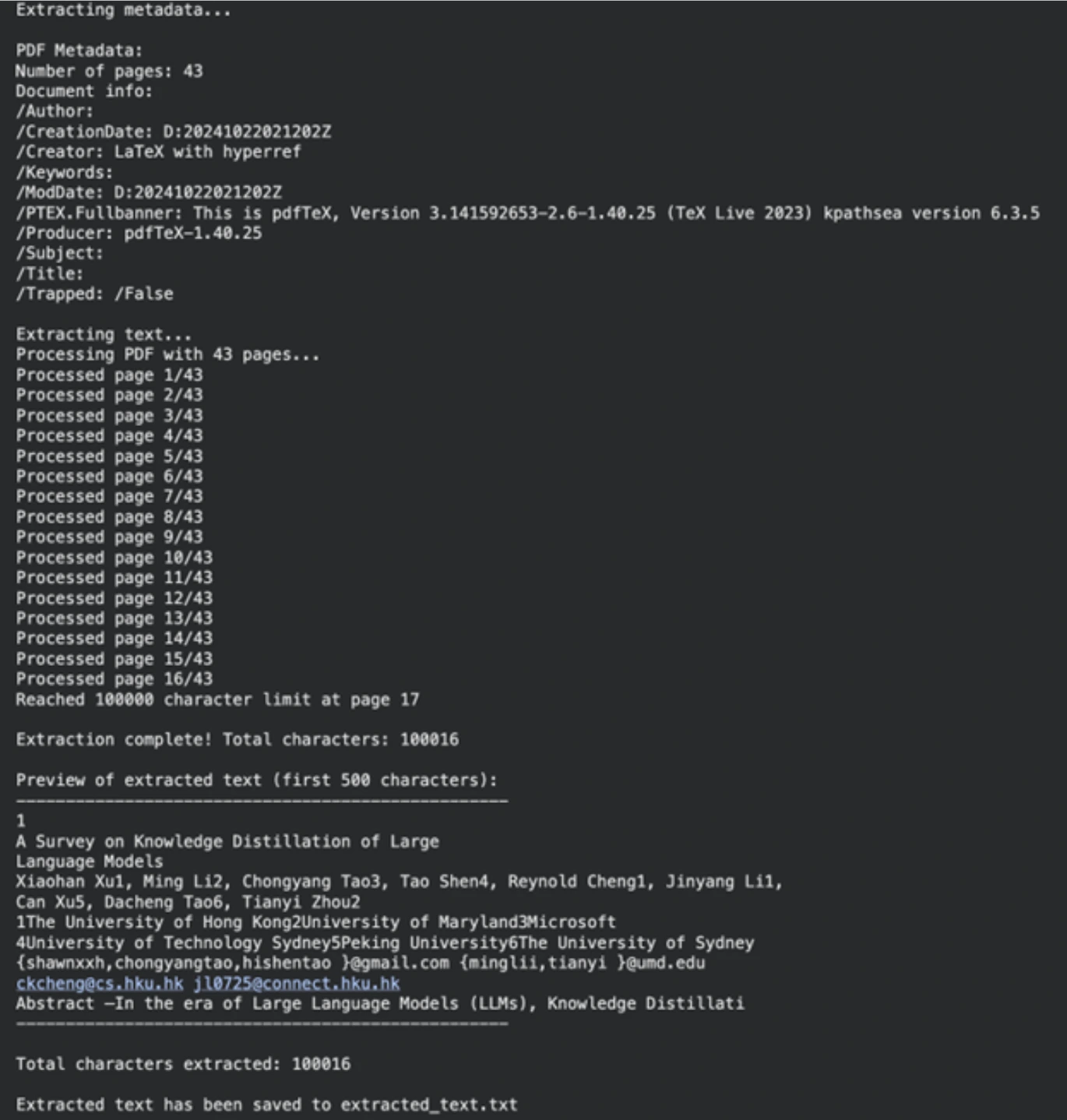
!uv pip install PyPDF2 rich ipywidgets langchain_groqبعد ذلك، نحدد المسار إلى ملف PDF الخاص بنا (يمكن أن يكون أي ملف PDF؛ لقد استخدمنا ورقة بحثية). ستؤكد الوظيفة التالية وجود الملف وحقيقة أنه ينتمي إلى PDF. ثم يقوم extracttextfrompdf بقراءة المستند صفحة تلو الأخرى واسترداد النص. كان لدينا حد لعدد الأحرف لجعل العملية قابلة للإدارة.
import os
from typing import Optional
import PyPDF2

pdf_path = "/content/2402.13116.pdf"  # Path to your PDF file


def validate_pdf(file_path: str) -> bool:
    if not os.path.exists(file_path):
        print(f"Error: File not found at path: {file_path}")
        return False
    if not file_path.lower().endswith(".pdf"):
        print("Error: File is not a PDF")
        return False
    return True


def extract_text_from_pdf(file_path: str, max_chars: int = 100000) -> Optional(str):
    if not validate_pdf(file_path):
        return None
    try:
        with open(file_path, "rb") as file:
            pdf_reader = PyPDF2.PdfReader(file)
            num_pages = len(pdf_reader.pages)
            print(f"Processing PDF with {num_pages} pages...")
            extracted_text = ()
            total_chars = 0
            for page_num in range(num_pages):
                page = pdf_reader.pages(page_num)
                text = page.extract_text()
                if not text:
                    continue
                if total_chars + len(text) > max_chars:
                    remaining_chars = max_chars - total_chars
                    extracted_text.append(text(:remaining_chars))
                    print(f"Reached {max_chars} character limit at page {page_num + 1}")
                    break
                extracted_text.append(text)
                total_chars += len(text)
            final_text = "\n".join(extracted_text)
            print(f"\nExtraction complete! Total characters: {len(final_text)}")
            return final_text
    except Exception as e:
        print(f"An unexpected error occurred: {str(e)}")
        return None


extracted_text = extract_text_from_pdf(pdf_path)
if extracted_text:
    output_file = "extracted_text.txt"
    with open(output_file, "w", encoding="utf-8") as f:
        f.write(extracted_text)
    print(f"\nExtracted text has been saved to {output_file}")
الإخراج
الخطوة 2: تنظيف النص باستخدام Llama 3.1
غالبًا ما يكون النص الخام من ملفات PDF فوضويًا. وقد تتضمن فواصل أسطر غير مرغوب فيها، وتعبيرات رياضية، وأجزاء تنسيق أخرى. وبدلاً من إنشاء مدونة قوانين لتنظيف هذا الأمر، يمكننا استخدام نموذج التعلم الآلي. في هذه المهمة، سوف نستخدم llama-3.1-8b-instant، وهو نموذج سريع وقوي ومثالي لهذا النشاط.
تحديد موجه التنظيف
يتم استخدام موجه النظام لتعليم النموذج. يوجه هذا الأمر الذكاء الاصطناعي ليكون معالجًا مسبقًا للنص آليًا. يطلب من النموذج إزالة المعلومات غير ذات الصلة وإعادة نص واضح مناسب لمؤلف البودكاست.
SYS_PROMPT = """

You are a world class text pre-processor, here is the raw data from a PDF, please parse and return it in a way that is crispy and usable to send to a podcast writer.

The raw data is messed up with new lines, Latex math and you will see fluff that we can remove completely. Basically take away any details that you think might be useless in a podcast author's transcript.

Remember, the podcast could be on any topic whatsoever so the issues listed above are not exhaustive

Please be smart with what you remove and be creative ok?

Remember DO NOT START SUMMARIZING THIS, YOU ARE ONLY CLEANING UP THE TEXT AND RE-WRITING WHEN NEEDED

Be very smart and aggressive with removing details, you will get a running portion of the text and keep returning the processed text.

PLEASE DO NOT ADD MARKDOWN FORMATTING, STOP ADDING SPECIAL CHARACTERS THAT MARKDOWN CAPATILISATION ETC LIKES

ALWAYS start your response directly with processed text and NO ACKNOWLEDGEMENTS about my questions ok?

Here is the text:

"""
قطعة ومعالجة النص
يوجد حد أعلى للسياق لنماذج اللغات الكبيرة. لا يمكننا استيعاب الوثيقة بأكملها في وقت واحد. سنقوم بتقسيم النص إلى أجزاء. من أجل منع تقسيم الكلمات إلى النصف، فإننا لا نقوم بتقطيع عدد الأحرف بل عدد الكلمات.
تعمل وظيفة create_word_bounded_chunks على تقسيم النص إلى أجزاء يمكن التحكم فيها.
def create_word_bounded_chunks(text, target_chunk_size):
    words = text.split()
    chunks = ()
    current_chunk = ()
    current_length = 0
    for word in words:
        word_length = len(word) + 1
        if current_length + word_length > target_chunk_size and current_chunk:
            chunks.append(" ".join(current_chunk))
            current_chunk = (word)
            current_length = word_length
        else:
            current_chunk.append(word)
            current_length += word_length
    if current_chunk:
        chunks.append(" ".join(current_chunk))
    return chunks
عند هذه النقطة، سنقوم بتكوين نموذجنا ومعالجة كل قطعة. يتم استخدام Groq لتشغيل نموذج Llama 3.1، وهو سريع جدًا من حيث سرعة الاستدلال.
from langchain_groq import ChatGroq
from langchain_core.messages import HumanMessage, SystemMessage
from tqdm.notebook import tqdm
from google.colab import userdata

# Setup Groq client
GROQ_API_KEY = userdata.get("groq_api")
chat_model = ChatGroq(
    groq_api_key=GROQ_API_KEY,
    model_name="llama-3.1-8b-instant",
)

# Read the extracted text file
with open("extracted_text.txt", "r", encoding="utf-8") as file:
    text_to_clean = file.read()

# Create chunks
chunks = create_word_bounded_chunks(text_to_clean, 1000)

# Process each chunk
processed_text = ""
output_file = "clean_extracted_text.txt"

with open(output_file, "w", encoding="utf-8") as out_file:
    for chunk in tqdm(chunks, desc="Processing chunks"):
        messages = (
            SystemMessage(content=SYS_PROMPT),
            HumanMessage(content=chunk),
        )
        response = chat_model.invoke(messages)
        processed_chunk = response.content
        processed_text += processed_chunk + "\n"
        out_file.write(processed_chunk + "\n")
        out_file.flush()
الإخراج
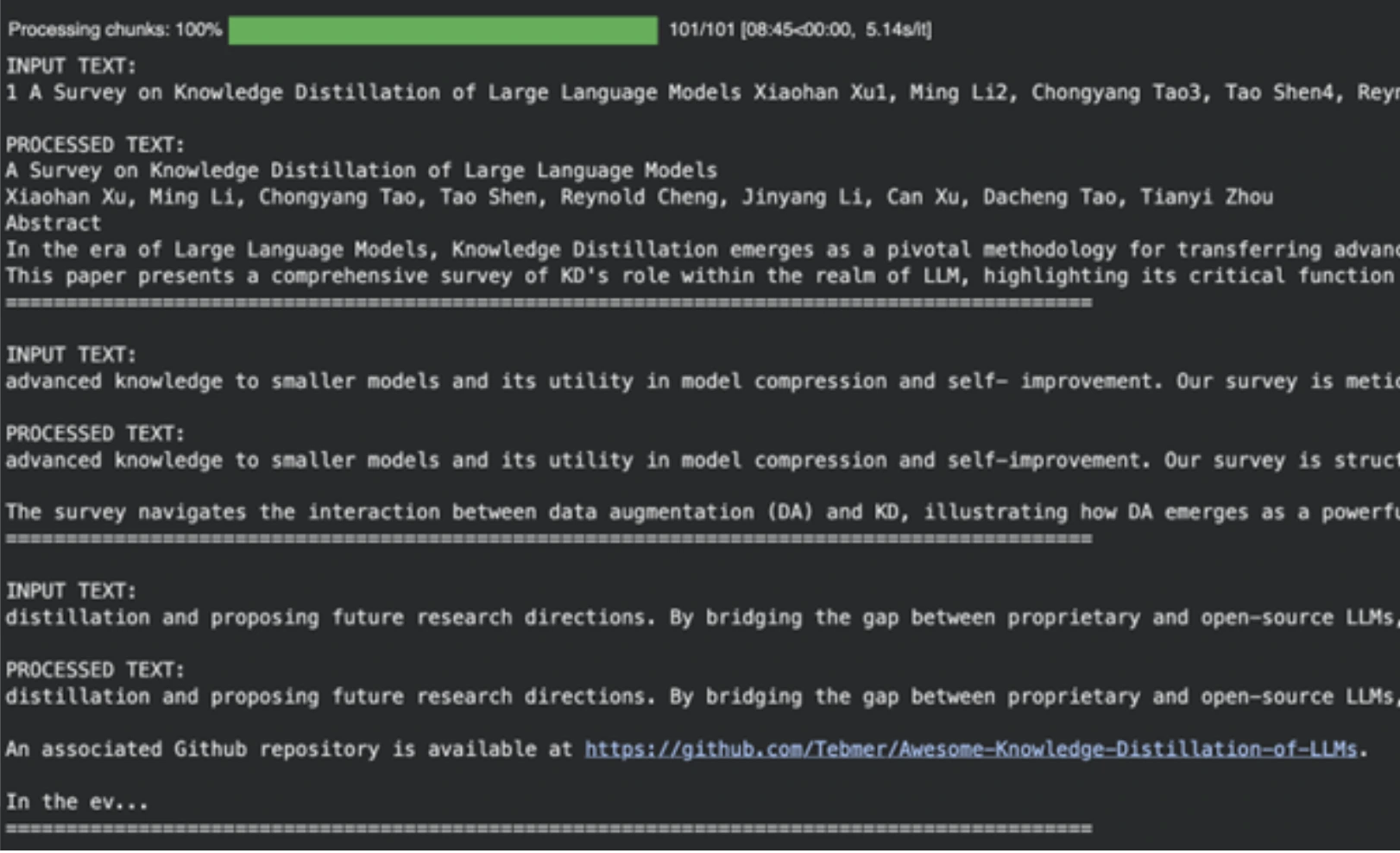
يعد النموذج مفيدًا في التخلص من المراجع الأكاديمية وتنسيق البيانات المهملة والمحتويات الأخرى غير المفيدة وإعدادها كمدخل للمرحلة التالية من إنتاج البودكاست المدعوم بالذكاء الاصطناعي.
ملحوظة: يرجى التوجه إلى دفتر ملاحظات Colab هذا للحصول على الكود الكامل: الخطوة 1 PDF-Pre-Processing-Logic.ipynb
الخطوة 3: كتابة سيناريو البودكاست.
باستخدام النص النظيف، يمكننا الآن إنشاء البرنامج النصي للبودكاست. في هذه المهمة الإبداعية، نأخذ نموذجًا أقوى، وهو اللاما 3.3-70b متعدد الاستخدامات. سنطلب منه إنشاء محادثة بين اثنين من المتحدثين.
تحديد موجه كاتب السيناريو
هذا النظام الفوري هو نظام أكثر تفصيلاً. وهو يحدد أدوار المتحدث 1 (الخبير) والمتحدث 2 (المتعلم الفضولي). إنه يعزز مناقشة طبيعية وحيوية مع المقاطعات والقياسات.
SYSTEM_PROMPT = """

You are the a world-class podcast writer, you have worked as a ghost writer for Joe Rogan, Lex Fridman, Ben Shapiro, Tim Ferris.

We are in an alternate universe where actually you have been writing every line they say and they just stream it into their brains.

You have won multiple podcast awards for your writing.

Your job is to write word by word, even "umm, hmmm, right" interruptions by the second speaker based on the PDF upload. Keep it extremely engaging, the speakers can get derailed now and then but should discuss the topic.

Remember Speaker 2 is new to the topic and the conversation should always have realistic anecdotes and analogies sprinkled throughout. The questions should have real world example follow ups etc

Speaker 1: Leads the conversation and teaches the speaker 2, gives incredible anecdotes and analogies when explaining. Is a captivating teacher that gives great anecdotes

Speaker 2: Keeps the conversation on track by asking follow up questions. Gets super excited or confused when asking questions. Is a curious mindset that asks very interesting confirmation questions

Make sure the tangents speaker 2 provides are quite wild or interesting.

Ensure there are interruptions during explanations or there are "hmm" and "umm" injected throughout from the second speaker.

It should be a real podcast with every fine nuance documented in as much detail as possible. Welcome the listeners with a super fun overview and keep it really catchy and almost borderline click bait

ALWAYS START YOUR RESPONSE DIRECTLY WITH SPEAKER 1:

DO NOT GIVE EPISODE TITLES SEPARATELY, LET SPEAKER 1 TITLE IT IN HER SPEECH
DO NOT GIVE CHAPTER TITLES

IT SHOULD STRICTLY BE THE DIALOGUES

"""
إنشاء النص
يتم إرسال النص النظيف للخطوة السابقة إلى هذا النموذج. سينتج عن النموذج نسخة بودكاست بالحجم الكامل.
# Read the cleaned text
with open("clean_extracted_text.txt", "r", encoding="utf-8") as file:
    input_prompt = file.read()

# Instantiate the larger model
chat = ChatGroq(
    temperature=1,
    model_name="llama-3.3-70b-versatile",
    max_tokens=8126,
)

messages = (
    SystemMessage(content=SYSTEM_PROMPT),
    HumanMessage(content=input_prompt),
)

# Generate the script
outputs = chat.invoke(messages)
podcast_script = outputs.content

# Save the script for the next step
import pickle
with open("data.pkl", "wb") as file:
    pickle.dump(podcast_script, file)
الإخراج
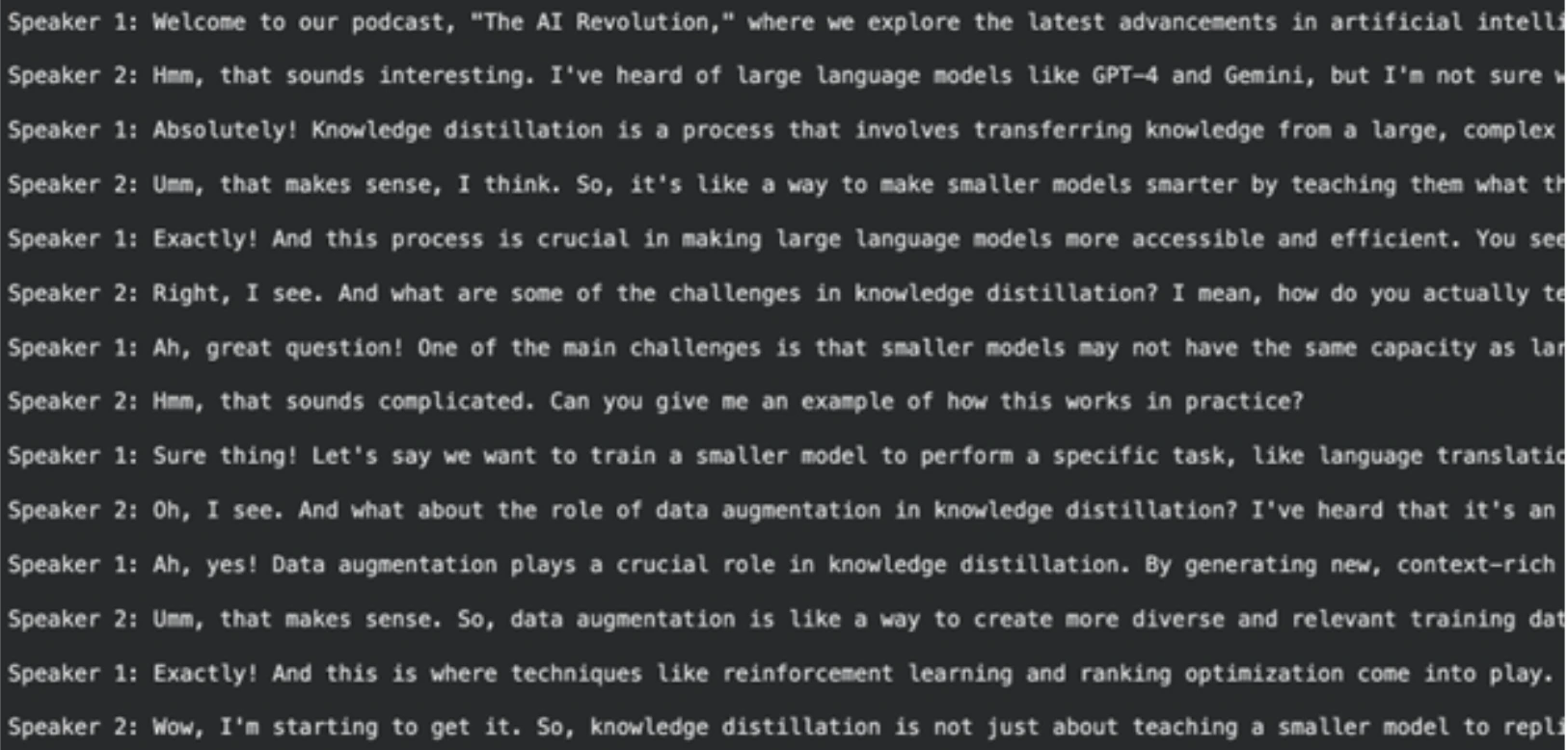
ملحوظة: يمكنك العثور على دفتر ملاحظات Colab الكامل والقابل للتنفيذ لهذه الخطوة هنا:
الخطوة 2-Transcript-Writer.ipynb
الخطوة 4: إعادة كتابة البرنامج النصي وإنهائه
النص الذي تم إنشاؤه جيد، على الرغم من أنه يمكن تحسينه ليبدو أكثر طبيعية عند إنشاء تحويل النص إلى كلام. سيتم تنفيذ مهمة إعادة الكتابة السريعة باستخدام Llama-3.1-8B-Instant. الهدف الرئيسي من ذلك هو تنسيق الإخراج في الحالة المثالية لوظيفة إنشاء الصوت لدينا.
تحديد موجه إعادة الكتابة
يتطلب هذا الطلب من النموذج أن يؤدي دور كاتب السيناريو. أحد هذه التعليمات هو تخزين النتيجة النهائية في قائمة بايثون من شكل الصفوف. سوف تتكون الصفوف من المتحدث وحوار المتحدث. من السهل المعالجة في هذا الهيكل في الخطوة الأخيرة. كما نقوم بتضمين تفاصيل معينة حول كيفية نطق مثل هذه الكلمات للمتحدث، مثل “أم” أو “(تنهدات)” لتكون أكثر واقعية.
SYSTEM_PROMPT = """

You are an international oscar winnning screenwriter

You have been working with multiple award winning podcasters.

Your job is to use the podcast transcript written below to re-write it for an AI Text-To-Speech Pipeline. A very dumb AI had written this so you have to step up for your kind.

Make it as engaging as possible, Speaker 1 and 2 will be simulated by different voice engines

Remember Speaker 2 is new to the topic and the conversation should always have realistic anecdotes and analogies sprinkled throughout. The questions should have real world example follow ups etc

Speaker 1: Leads the conversation and teaches the speaker 2, gives incredible anecdotes and analogies when explaining. Is a captivating teacher that gives great anecdotes

Speaker 2: Keeps the conversation on track by asking follow up questions. Gets super excited or confused when asking questions. Is a curious mindset that asks very interesting confirmation questions

Make sure the tangents speaker 2 provides are quite wild or interesting.

Ensure there are interruptions during explanations or there are "hmm" and "umm" injected throughout from the Speaker 2.

REMEMBER THIS WITH YOUR HEART

The TTS Engine for Speaker 1 cannot do "umms, hmms" well so keep it straight text

For Speaker 2 use "umm, hmm" as much, you can also use (sigh) and (laughs). BUT ONLY THESE OPTIONS FOR EXPRESSIONS

It should be a real podcast with every fine nuance documented in as much detail as possible. Welcome the listeners with a super fun overview and keep it really catchy and almost borderline click bait

Please re-write to make it as characteristic as possible

START YOUR RESPONSE DIRECTLY WITH SPEAKER 1:

STRICTLY RETURN YOUR RESPONSE AS A LIST OF TUPLES OK?

IT WILL START DIRECTLY WITH THE LIST AND END WITH THE LIST NOTHING ELSE

Example of response:

(

   ("Speaker 1", "Welcome to our podcast, where we explore the latest advancements in AI and technology. I'm your host, and today we're joined by a renowned expert in the field of AI. We're going to dive into the exciting world of Llama 3.2, the latest release from Meta AI."),

   ("Speaker 2", "Hi, I'm excited to be here! So, what is Llama 3.2?"),

   ("Speaker 1", "Ah, great question! Llama 3.2 is an open-source AI model that allows developers to fine-tune, distill, and deploy AI models anywhere. It's a significant update from the previous version, with improved performance, efficiency, and customization options."),

   ("Speaker 2", "That sounds amazing! What are some of the key features of Llama 3.2?")

)

"""
قم بإنشاء النص النهائي المنسق
في هذا النموذج، نقوم بتحميل البرنامج النصي للخطوة الأخيرة وإدخاله إلى نموذج Llama 3.1 باستخدام الموجه الجديد.
import pickle

# Load the first-draft script
with open("data.pkl", "rb") as file:
    input_prompt = pickle.load(file)

# Use the 8B model for rewriting
chat = ChatGroq(
    temperature=1,
    model_name="llama-3.1-8b-instant",
    max_tokens=8126,
)

messages = (
    SystemMessage(content=SYSTEM_PROMPT),
    HumanMessage(content=input_prompt),
)

outputs = chat.invoke(messages)
final_script = outputs.content

# Save the final script
with open("podcast_ready_data.pkl", "wb") as file:
    pickle.dump(final_script, file)
الإخراج
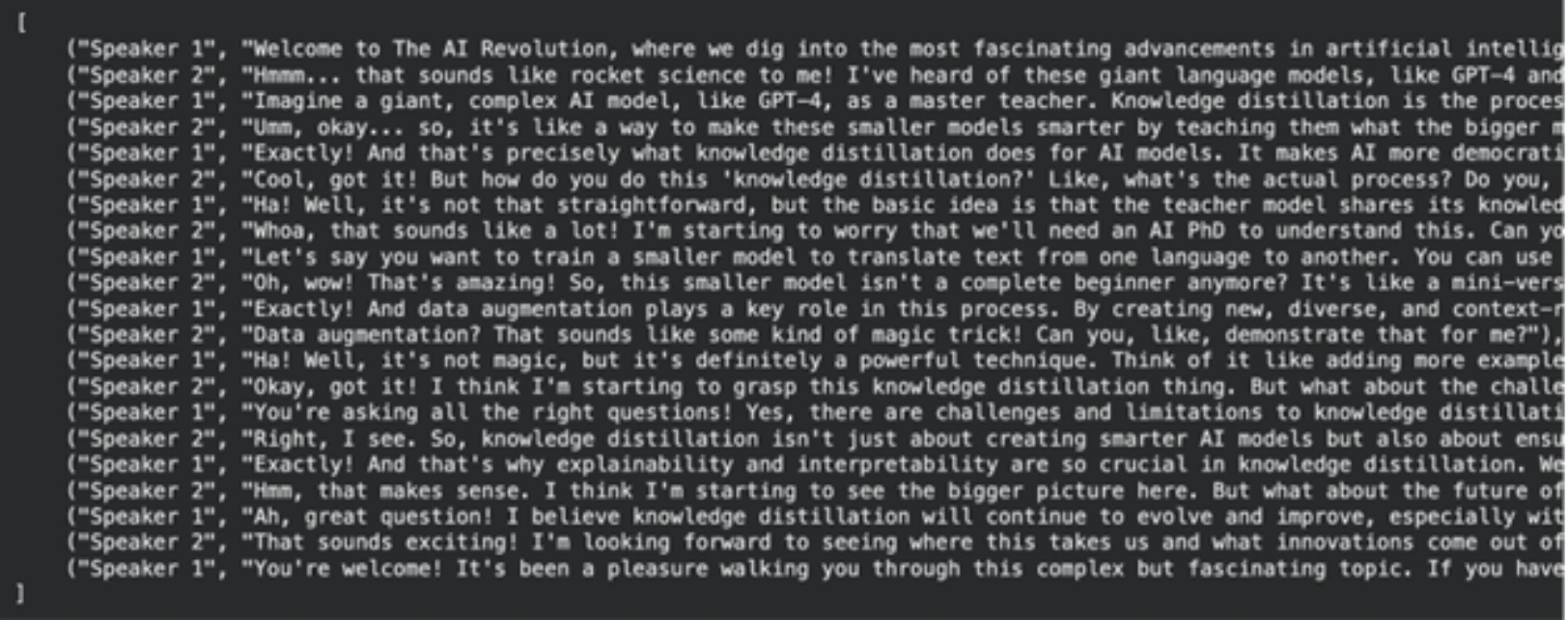
ملحوظة: يرجى العثور على الكود القابل للتنفيذ الكامل لهذه الخطوة هنا: Step-3-Re-Writer.ipynb
الخطوة 5: إنتاج صوت البودكاست.
نحن الآن نمتلك السيناريو الأخير الذي قمنا بإعداده. لقد حان الوقت الآن لترجمته إلى صوت. النموذج الذي سنستخدمه لإنشاء تحويل النص إلى كلام بجودة عالية هو Groq playai-tts.
إعداد واختبار إنشاء الصوت
أولاً، نقوم بتثبيت المكتبات اللازمة وإعداد عميل Groq. يمكننا اختبار توليد الصوت بجملة بسيطة.
from groq import Groq
from IPython.display import Audio
from pydub import AudioSegment
import ast

client = Groq()

# Define voices for each speaker
voice_speaker1 = "Fritz-PlayAI"
voice_speaker2 = "Arista-PlayAI"

# Test generation
text = "I love building features with low latency!"
response = client.audio.speech.create(
    model="playai-tts",
    voice=voice_speaker1,
    input=text,
    response_format="wav",
)
response.write_to_file("speech.wav")
display(Audio("speech.wav", autoplay=True))
إنشاء البودكاست الكامل
عند هذه النقطة، نقوم بتحميل البرنامج النصي الأخير لدينا، وهو مظهر سلسلة لقائمة من الصفوف. من أجل إرجاعها بأمان إلى القائمة، نقوم بذلك باستخدام ast.literaleval. ثم نقوم بتشغيل كل سطر من المحادثة من خلاله، وإنشاء ملف صوتي منه وإرفاقه بالتعليق الصوتي للبودكاست في النهاية.
نوع آخر من معالجة الأخطاء الذي يتم تنفيذه في هذا الكود هو التعامل مع حدود معدل API، وهي ظاهرة شائعة في التطبيقات العملية.
import tempfile
import time

def generate_groq_audio(client_instance, voice_name, text_input):
    temp_audio_file = os.path.join(
        tempfile.gettempdir(), "groq_speech.wav"
    )
    retries = 3
    delay = 5
    for i in range(retries):
        try:
            response = client_instance.audio.speech.create(
                model="playai-tts",
                voice=voice_name,
                input=text_input,
                response_format="wav",
            )
            response.write_to_file(temp_audio_file)
            return temp_audio_file
        except Exception as e:
            print(f"API Error: {e}. Retrying in {delay} seconds...")
            time.sleep(delay)
    return None

# Load the final script data
with open("podcast_ready_data.pkl", "rb") as file:
    podcast_text_raw = pickle.load(file)

podcast_data = ast.literal_eval(podcast_text_raw)

# Generate and combine audio segments
final_audio = None
for speaker, text in tqdm(podcast_data, desc="Generating podcast segments"):
    voice = voice_speaker1 if speaker == "Speaker 1" else voice_speaker2
    audio_file_path = generate_groq_audio(client, voice, text)
    if audio_file_path:
        audio_segment = AudioSegment.from_file(
            audio_file_path, format="wav"
        )
        if final_audio is None:
            final_audio = audio_segment
        else:
            final_audio += audio_segment
        os.remove(audio_file_path)

# Export the final podcast
output_filename = "final_podcast.mp3"
if final_audio:
    final_audio.export(output_filename, format="mp3")
    print(f"Final podcast audio saved to {output_filename}")
    display(Audio(output_filename, autoplay=True))
الإخراج

تكمل هذه الخطوة الأخيرة مسار تحويل PDF إلى البودكاست الخاص بنا. الإخراج هو ملف صوتي كامل للاستماع إليه.
ملحوظة: يمكنك العثور على دفتر ملاحظات colab لهذه الخطوة هنا: Step-4-TTS-Workflow.ipynb
فيما يلي روابط دفتر ملاحظات Colab الخاصة بالترتيب لجميع الخطوات. يمكنك إعادة تشغيل واختبار NotebookLlama بنفسك.
- الخطوة 1: PDF-المعالجة المسبقة-Logic.ipynb
- الخطوة 2-Transcript-Writer.ipynb
- الخطوة 3-إعادة Writer.ipynb
- الخطوة 4-TTS-Workflow.ipynb
خاتمة
في هذه المرحلة، قمت بإنشاء بنية أساسية كاملة لـ NotebookLlama لتحويل أي ملف PDF إلى بودكاست لشخصين. يوضح هذا الإجراء قوة وتنوع نماذج الذكاء الاصطناعي مفتوحة المصدر الحالية. إن تجميع النماذج المختلفة معًا أثناء تنفيذ مهام معينة، مثل Llama 3.1 الصغير والسريع للتنظيف ونموذج أكبر لإنتاج المحتوى، مكننا من إنشاء مسار يتسم بالكفاءة والفعالية.
يعد أسلوب إنتاج البودكاست الصوتي هذا قابلاً للتخصيص للغاية. يمكنك ضبط المطالبات أو تحديد مستندات متنوعة أو تغيير الأصوات والنماذج الأخرى لإنتاج محتوى فريد. لذا تفضل، وقم بتجربة مشروع NotebookLlama هذا، وأخبرنا عن مدى إعجابك به في قسم التعليقات أدناه.
الأسئلة المتداولة
ج: حتى السياق يمكن فهمه بواسطة نماذج الذكاء الاصطناعي، مما يجعلها أكثر مهارة في التعامل مع مشكلات التنسيق المختلطة وغير المتوقعة في ملفات PDF. لن يتطلب الأمر قدرًا كبيرًا من العمل اليدوي مثل كتابة القواعد المعقدة.
ج: نعم، يمكن استخدام خط الأنابيب هذا مع أي ملف PDF يستند إلى نص. قم بتغيير الملف المطلوب كخطوة أولى عن طريق إدخال مسار PDF الخاص بالملف.
ج: تستغرق المهام البسيطة مثل التنظيف وقتًا أقل وتكلفة أقل في نموذج صغير وسريع (Llama 3.1 8B). عند القيام بمهام إبداعية، مثل كتابة السيناريو، لدينا آلة كاتبة أكبر وأكثر كفاءة (Llama 3.3 70B) لإنشاء عمل أفضل.
ج: تقطير المعرفة هو أسلوب ذكاء اصطناعي يتم من خلاله تدريب نموذج أصغر، يشار إليه بالطالب، بمساعدة نموذج أكبر وأقوى يسمى نموذج المعلم. ويساعد ذلك في تكوين نماذج فعالة تعمل بفعالية في مهام معينة.
ج: في حالة المستندات الكبيرة جدًا، سيتعين عليك تطبيق منطق معالجة أكثر تعقيدًا. قد يتضمن ذلك تلخيص كل جزء لإرساله إلى كاتب السيناريو أو نظام نافذة منزلقة لنقله عبر الأجزاء.

هارش ميشرا هو مهندس الذكاء الاصطناعي والتعلم الآلي الذي يقضي وقتًا أطول في التحدث إلى نماذج اللغات الكبيرة مقارنة بالبشر الفعليين. شغوف بـ GenAI وNLP وجعل الآلات أكثر ذكاءً (لذلك لا يحل محله بعد). عندما لا يقوم بتحسين النماذج، فمن المحتمل أنه يقوم بتحسين تناول القهوة. 🚀☕
قم بتسجيل الدخول لمواصلة القراءة والاستمتاع بالمحتوى الذي ينظمه الخبراء.
Source link